Using agentgateway with kagent#
As your kagent deployment grows, you might need governance over how your agents communicate with LLM providers. Agentgateway is a proxy purpose-built for AI workloads that sits between your kagent agents and your LLM provider. This way, you can apply AgentgatewayPolicy for things like access control, rate limiting, audit logging, and observability.
Prerequisites#
- A running kagent installation. If you haven't installed kagent yet, follow the quick start guide first.
- Follow the agentgateway installation guide to install agentgateway in your cluster.
- Set up an LLM provider with agentgateway. This guide uses the Ollama setup as an example.
Architecture#
Once set up, kagent agent pods route all LLM requests through agentgateway (running in the agentgateway-system namespace). Agentgateway enforces your policies, auth/authz, rate limiting, audit logging, and observability. Before forwarding requests to Ollama on the host.
Configure kagent to use agentgateway#
With agentgateway installed, point kagent at the agentgateway proxy instead of directly at Ollama.
-
If you installed kagent without agentgateway, upgrade your installation to route through the proxy.
helm upgrade kagent oci://ghcr.io/kagent-dev/kagent/helm/kagent \--reuse-values \--namespace kagent \--set providers.default=ollama \--set providers.ollama.baseUrl=http://agentgateway-proxy.agentgateway-system.svc.cluster.local/v1 \--set providers.ollama.apiKey=dummy -
Create a
ModelConfigthat points to Ollama via the agentgateway proxy.kubectl apply -f- <<EOFapiVersion: kagent.dev/v1alpha2kind: ModelConfigmetadata:name: llama3-model-confignamespace: kagentspec:model: llama3provider: Ollamaollama:host: agentgateway-proxy.agentgateway-system.svc.cluster.localEOF -
Verify that kagent is still accessible and correctly functioning.
export INGRESS_GW_ADDRESS=$(kubectl get svc -n kagent kagent-ui -o jsonpath="{.spec.clusterIP}")echo $INGRESS_GW_ADDRESSkubectl port-forward -n kagent service/kagent-ui 8082:8080 -
Start a chat with an agent such as
k8s-agentto confirm that requests flow through agentgateway.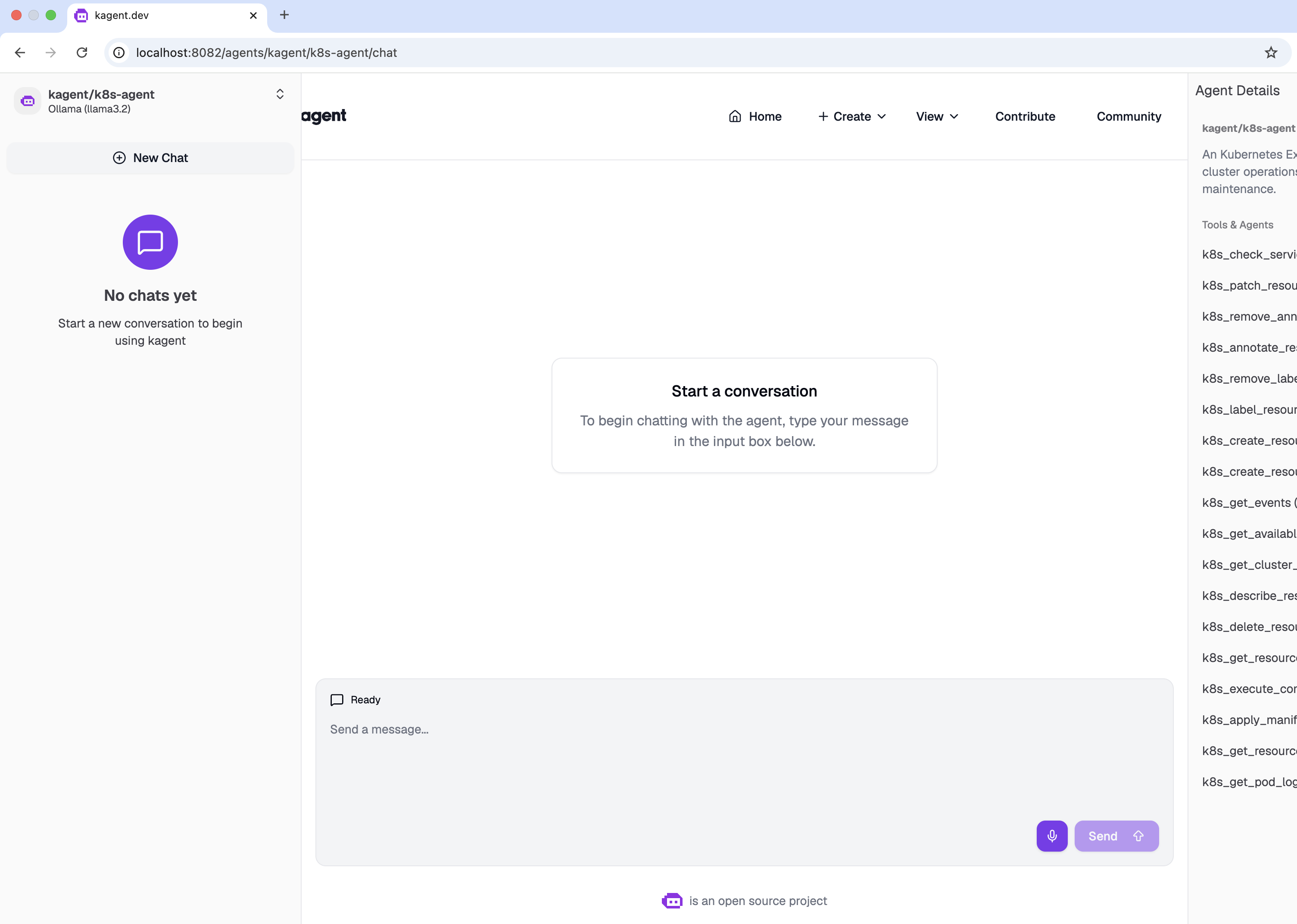
kagent default k8s-agent UI
Apply governance policies#
With agentgateway in place, you can now apply policies to govern how your kagent agents interact with your LLM provider.
Block requests with PII#
-
Create an
AgentgatewayPolicyresource to reject any request that contains PII, such as an email address. For more policy examples, see the agentgateway guardrails docs.kubectl apply -f - <<EOFapiVersion: agentgateway.dev/v1alpha1kind: AgentgatewayPolicymetadata:name: prompt-guardnamespace: agentgateway-systemspec:targetRefs:- group: gateway.networking.k8s.iokind: HTTPRoutename: ollamabackend:ai:promptGuard:request:- response:message: "Rejected due to inappropriate content"regex:action: Rejectmatches:- "email"EOF -
Verify the policy by sending a prompt to your agent through the kagent UI that includes the word
email. You get a403response.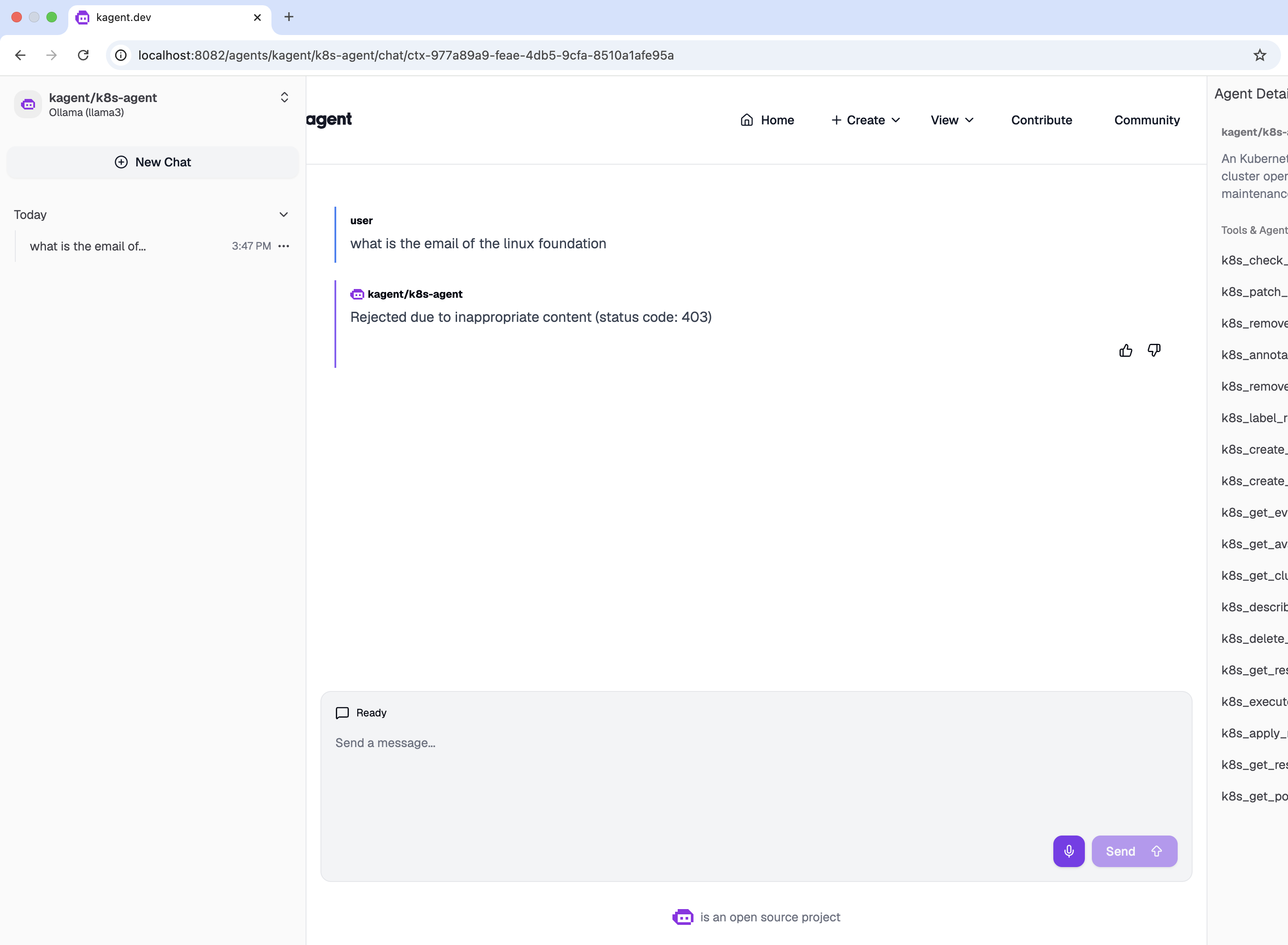
kagent rejected content
Cleanup#
-
Remove agentgateway-related resources from your kagent setup.
kubectl delete agentgatewaypolicy prompt-guard -n agentgateway-systemkubectl delete modelconfig llama3-model-config -n kagent -
If you no longer need agentgateway, uninstall agentgateway.
-
Upgrade your kagent installation to unset agentgateway as the proxy in front of your LLM provider.