For the complete documentation index, see llms.txt. Markdown versions of all docs pages are available by appending .md to any docs URL.
Quickstart
Get started with kmcp
Install the kmcp CLI and quickly spin up your first FastMCP Python server in a Kubernetes cluster.
Prerequisites
- Docker for building your MCP server images locally
- Kind for creating and running a local Kubernetes cluster
- Helm for installing the kmcp chart
- uv for running FastMCP servers
- MCP Inspector tool to test access to your MCP server
npm install -g @modelcontextprotocol/inspector
Install the kmcp CLI
Install the kmcp CLI on your local machine.
curl -fsSL https://raw.githubusercontent.com/kagent-dev/kmcp/refs/heads/main/scripts/get-kmcp.sh | bashVerify that the kmcp CLI is installed.
kmcp --help
Spin up your first MCP server
Create a scaffold for your FastMCP Python server project in the
my-mcp-serverdirectory. The scaffold includes all the files and dependencies to spin up the MCP server with a sampleechotool.Tip: Want to use a different MCP framework instead? Try out MCP Go.
kmcp init python my-mcp-serverRun your MCP server on your local machine. The command builds the Docker image for your MCP server and automatically opens the MCP inspector tool so that you can connect to your MCP server and test it.
kmcp run --project-dir my-mcp-serverExample output:
Starting MCP inspector...
⚙️ Proxy server listening on localhost:6277
🔑 Session token: 39359f4867a366abc8ecdf5daa243d547d4f61a43e207cc1adbdc23ae47550f8
   Use this token to authenticate requests or set DANGEROUSLY_OMIT_AUTH=true to disable auth

🚀 MCP Inspector is up and running at:
   http://localhost:6274/?MCP_PROXY_AUTH_TOKEN=39359f4867a366abc8ecdf5daa243d547d4f61a43e207cc1adbdc23ae47550f8
In the MCP inspector tool, click Connect to connect to your MCP server. Note that it might take a few seconds for the MCP inspector tool to successfully connect to your MCP server. If the connection fails, make sure the following fields are set in the MCP inspector tool.
- Select STDIO from the Transport Type drop down.
- In the Command field, enter
uv. - In the Arguments field, enter
run python src/main.py. - In the Configuration section, enter the session token from the previous command output in the Proxy Session Token field.
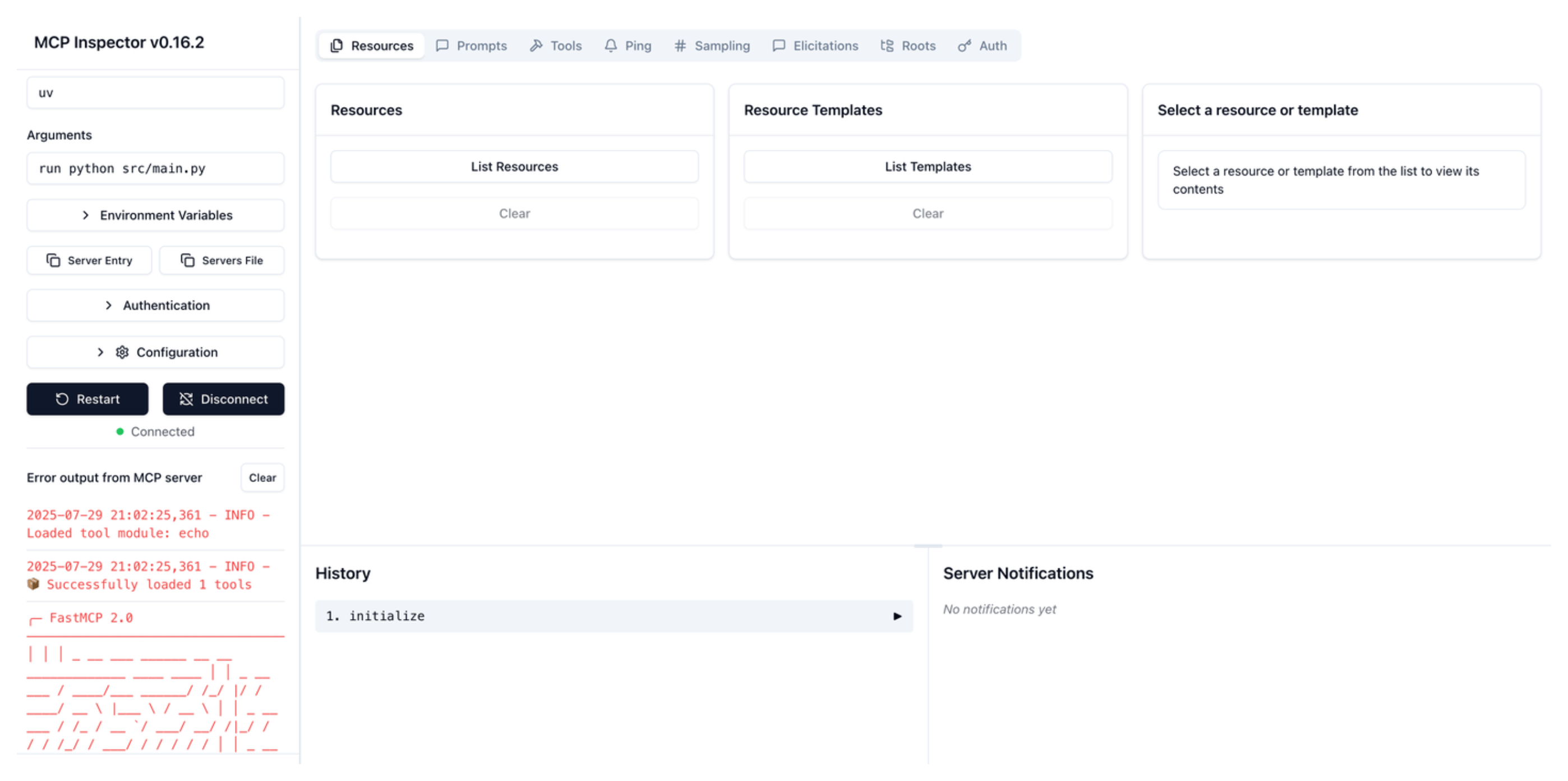
Locally run your MCP server with the MCP inspector tool Try out the
echoMCP tool.- Go to the Tools tab and click List Tools.
- Select the
echotool. - Enter any string in the message field, such as
Hello worldand click Run Tool. - Verify that you see your message echoed in the Tool result card.
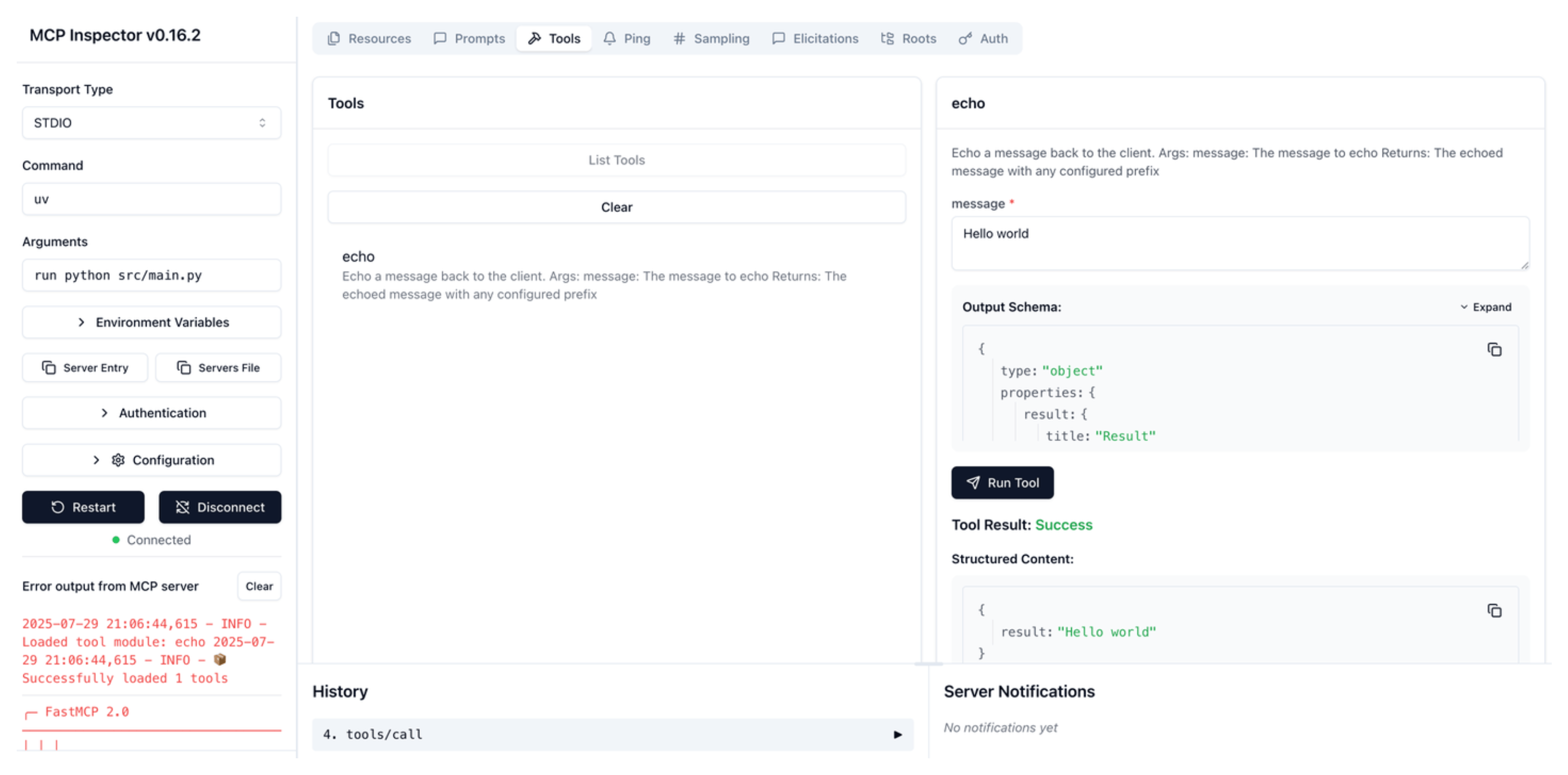
Successful run of the echo tool
Install the kmcp controller
With your first FastMCP Python server up and running, you can now deploy it to a Kubernetes cluster. To simplify this process, you install the kmcp controller manager that manages the lifecycle of your MCP servers.
Create a kind cluster.
Tip: If you already have a Kubernetes cluster that you want to use, switch to the kubeconfig context for that cluster by using the
kubectl config use-context [CONTEXT-NAME]command.kind create clusterInstall the kmcp CRDs.
helm install kmcp-crds oci://ghcr.io/kagent-dev/kmcp/helm/kmcp-crds \
  --namespace kmcp-system \
  --create-namespace
Install the following kmcp controller components in your cluster.
- The MCPServer Custom Resource Definition to define your MCP server.
- The ClusterRole and ClusterRoleBinding to control RBAC permissions for the kmcp controller.
- The kmcp controller deployment that automatically manages the lifecycle of MCPServer resources.
kmcp installExample output:
🚀 Deploying KMCP controller to cluster...
No version specified, using latest: v0.3.0
Release "kmcp" does not exist. Installing it now.
NAME: kmcp
LAST DEPLOYED: Wed Jul 30 18:41:01 2025
NAMESPACE: kmcp-system
STATUS: deployed
REVISION: 1
TEST SUITE: None
✅ KMCP controller deployed successfully
💡 Check controller status with: kubectl get pods -n kmcp-system
💡 View controller logs with: kubectl logs -l app.kubernetes.io/name=kmcp -n kmcp-system
Verify that the kmcp controller manager is up and running.
kubectl get pods -n kmcp-systemExample output:
NAME                                       READY   STATUS    RESTARTS   AGE
kmcp-controller-manager-66c8764c66-8h5sl   1/1     Running   0          27h
Deploy the MCP server
Build a Docker image for your MCP server and load it to your kind cluster.
kmcp build --project-dir my-mcp-server -t my-mcp-server:latest --kind-load-cluster kindDeploy the MCP server.
The kmcp controller creates an MCPServer resource in your cluster that contains the MCP server configuration that is defined in the
kmcp.yamlfile in your MCP project. The controller then uses this resource to spin up and manage the lifecycle of your MCP server.Note: The following command automatically opens the MCP inspector tool so that you can test your MCP server. If you do not want to open the MCP inspector tool, add the
--no-inspectoroption to your command.kmcp deploy --file my-mcp-server/kmcp.yaml --image my-mcp-server:latestIn the MCP inspector tool, click Connect to connect to your MCP server. Note that it might take a few seconds for the MCP inspector tool to successfully connect to your MCP server. If the connection fails, make sure the following fields are set in the MCP inspector tool.
- Select Streamable HTTP from the Transport Type drop down.
- Enter
http://127.0.0.1:3000/mcpin the URL field. - Expand the Configuration section and make sure that the Proxy Session Token is set to the value of the
PROXY_AUTH_TOKENthat was shown in the CLI output when you opened the MCP inspector tool.
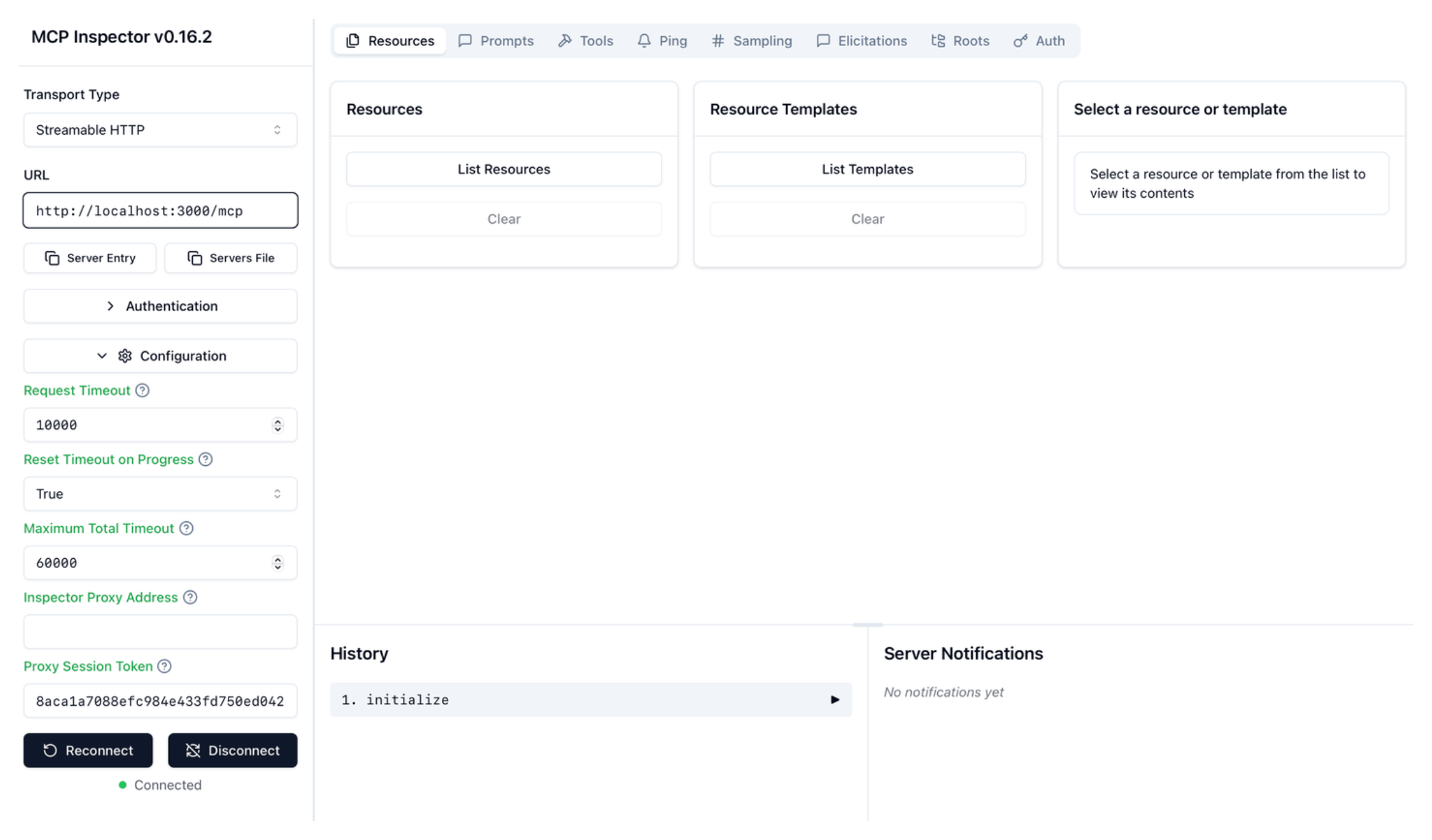
Connect to FastMCP server with MCP inspector tool Try out the built-in
echoMCP tool.- Go to the Tools tab and click List Tools.
- Select the
echotool. - Enter any string in the message field, such as
Hello worldand click Run Tool. - Verify that you see your message echoed in the Tool result card.
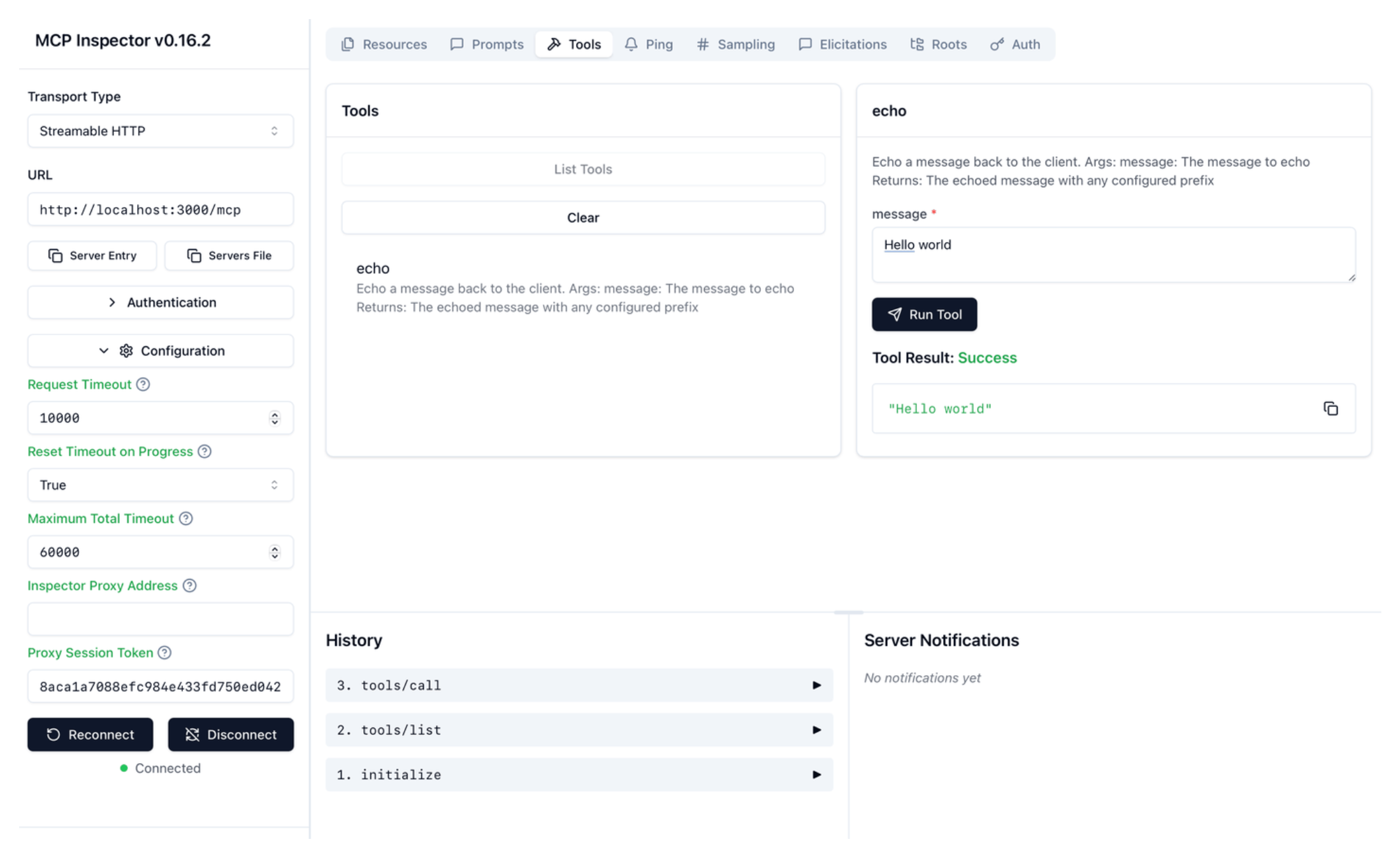
Successful run of the echo tool
Congratulations, you successfully developed an MCP server and deployed it to a Kubernetes cluster with kmcp!
Next
- Explore other MCP frameworks, such as MCP Go.
- Learn how to manage secrets for your MCP server when deploying it in a Kubernetes cluster.