For the complete documentation index, see llms.txt. Markdown versions of all docs pages are available by appending .md to any docs URL.
Give an agent a sandbox
Bind the kagent MCP server’s sandbox tools to an agent, so that the agent can run the code that it writes in a separate Sandbox.
An agent can create its own Sandboxes through the kagent Model Context Protocol (MCPMCPModel Context Protocol, an open protocol for exposing tools and resources to a model. kagent reaches an MCP server through a RemoteMCPServer resource, and an AgentTemplate binds individual tools from it.Learn more) server, by using the same service that a person reaches with the CLI. In this example, you build an agent that writes a Python program for a request, runs it in a fresh Sandbox, reports the output, and deletes the Sandbox.
A separate Sandbox keeps the code that an agent writes apart from the agent’s own SessionSessionA running conversation with one Agent. Unlike the resources it is built from, a Session is not a Kubernetes resource: kagent's gRPC API creates it and its PostgreSQL database tracks it.Learn more. The Sandbox has its own tools image, its own files, and its own network access, and it does not end when the Session does.
About the sandbox tools
kagent’s Helm chart installs a RemoteMCPServer named kagent-api in the controller’s namespace, pointing at the controller’s own /mcp endpoint. The server exposes the sandbox tools alongside the session and checkpoint tools, so an AgentTemplate reaches Sandboxes through an ordinary tool binding. An AgentTemplate can reference only an MCP server in its own namespace, so an agent in another namespace needs its own RemoteMCPServer that points at the same URL.
Review the following table of kagent tools. Bind only the tools that the agent needs. An agent that runs a program and reads its output does not need the suspend, resume, or kill tools.
| Tool | Required arguments | What it does |
|---|---|---|
list_sandbox_templates | None | Lists the templates that the caller can create a Sandbox from. Takes namespace to filter. |
create_sandbox | namespace, template, request_id | Creates a Sandbox. Takes name and ttl_seconds. A retry with the same request_id and the same arguments returns the same Sandbox. |
list_sandboxes | None | Lists the Sandboxes that the caller owns. Takes page_size and page_token. |
get_sandbox, suspend_sandbox, resume_sandbox, delete_sandbox | sandbox_id | Reads, suspends, resumes, or deletes a Sandbox. |
write_sandbox_file | sandbox_id, path, data_base64 | Writes a file, replacing one that already exists. Takes mode as decimal Unix permission bits, such as 420 for 0644. Writes up to 1 MiB per call. |
read_sandbox_file | sandbox_id, path | Returns a file in a form that the model reads directly. Text returns as numbered lines, and a PNG, JPEG, or GIF image returns as an image. |
start_sandbox_process | sandbox_id, command | Starts a process from an argument list, such as ["python3", "main.py"]. Takes cwd and env. Returns a process_id without waiting. |
get_sandbox_process | sandbox_id, process_id | Returns the process’s state, and its exit_code once the state is PROCESS_STATE_EXITED. |
read_sandbox_outputs | sandbox_id, process_id | Returns the output that is available now, in base64, up to 1 MiB, with the offsets to continue from. Takes stdout_offset and stderr_offset. |
kill_sandbox_process | sandbox_id, process_id | Sends SIGKILL to the process without waiting for it to exit. |
Before you begin
Create a SandboxTemplate whose image includes Python, as described in Set up sandbox templates. The steps in this guide use the
pythontemplate in thekagentnamespace.Create your first agent, so that your installation has a Harness on kagent’s native runtime and a
default-model-configModelConfig. The steps in this guide use thekagent-defaultHarness thatkagent installcreates. If you created a Harness yourself, use its name instead.Confirm that the
kagent-apiMCP server is accepted.kubectl get remotemcpserver kagent-api -n kagentExample output:
NAME         PROTOCOL          URL                                                          ACCEPTED
kagent-api   STREAMABLE_HTTP   http://kagent-controller.kagent.svc.cluster.local:8083/mcp   True
To read the Session ID from the CLI’s JSON output, install
jq.
Create the agent
Apply an AgentTemplate that binds the sandbox tools, and an Agent that pairs it with a Harness.
kubectl apply -f - <<EOF
apiVersion: api.kagent.dev/v1alpha3
kind: AgentTemplate
metadata:
  name: code-runner
  namespace: kagent
spec:
  description: Runs Python code in a standalone Sandbox and reports the result
  modelConfig:
    name: default-model-config
  systemPrompt: |
    You run Python code for the user in a standalone kagent Sandbox.
    - Create one Sandbox per request from the python SandboxTemplate in the
      kagent namespace, with a new request_id and ttl_seconds set to 900.
      If a call fails, retry it with the same request_id instead of creating
      another Sandbox.
    - Write the code to main.py with write_sandbox_file. In the data_base64
      argument, encode the exact file bytes as standard base64, with
      padding and no line breaks.
    - Run it with start_sandbox_process, using the command
      ["python3", "main.py"]. Poll get_sandbox_process until the state is
      PROCESS_STATE_EXITED, then read the output with read_sandbox_outputs.
    - Always delete the Sandbox with delete_sandbox before you answer,
      even when a step fails.
    - Reply with the program's output and its exit code.
  tools:
    - mcp:
        server:
          kind: RemoteMCPServer
          name: kagent-api
        tools:
          - list_sandbox_templates
          - create_sandbox
          - get_sandbox
          - write_sandbox_file
          - start_sandbox_process
          - get_sandbox_process
          - read_sandbox_outputs
          - read_sandbox_file
          - delete_sandbox
---
apiVersion: api.kagent.dev/v1alpha3
kind: Agent
metadata:
  name: code-runner
  namespace: kagent
spec:
  template:
    ref:
      name: code-runner
  harnessRef:
    name: kagent-default
EOF
Setting Why it matters systemPromptThe prompt names the template, so that the agent does not have to discover one. It also tells the agent to keep its request_idfor retries and to delete the Sandbox. Without these instructions, a model can create a new Sandbox for each attempt and leave them running until they expire.ttl_secondsin the promptA short lifetime bounds the cost of a Sandbox that the agent fails to delete. toolsThe binding lists only the tools that this workflow uses. Wait until the Agent is ready.
kagent agent get code-runnerExample output:
+-------------+-------+----------------------+
| NAME        | READY | CREATED              |
+-------------+-------+----------------------+
| code-runner | True  | 2026-11-18T21:08:31Z |
+-------------+-------+----------------------+
Run code through the agent
Start a Session with the agent, and send it a request.
export SESSION_ID=$(kagent agent session create --agent code-runner -o json | jq -r '.session.id')
kagent agent invoke --session $SESSION_ID \
  --task "Compute the count and the sum of the numbers [2, 3, 5] in Python, and print them as JSON."
Example output:
Program output (stdout):
{"count": 3, "sum": 10}

Exit code: 0
Launch the kagent UI to check which tools the agent called. Leave the following command running, then open http://localhost:8082.
kagent dashboardOpen the
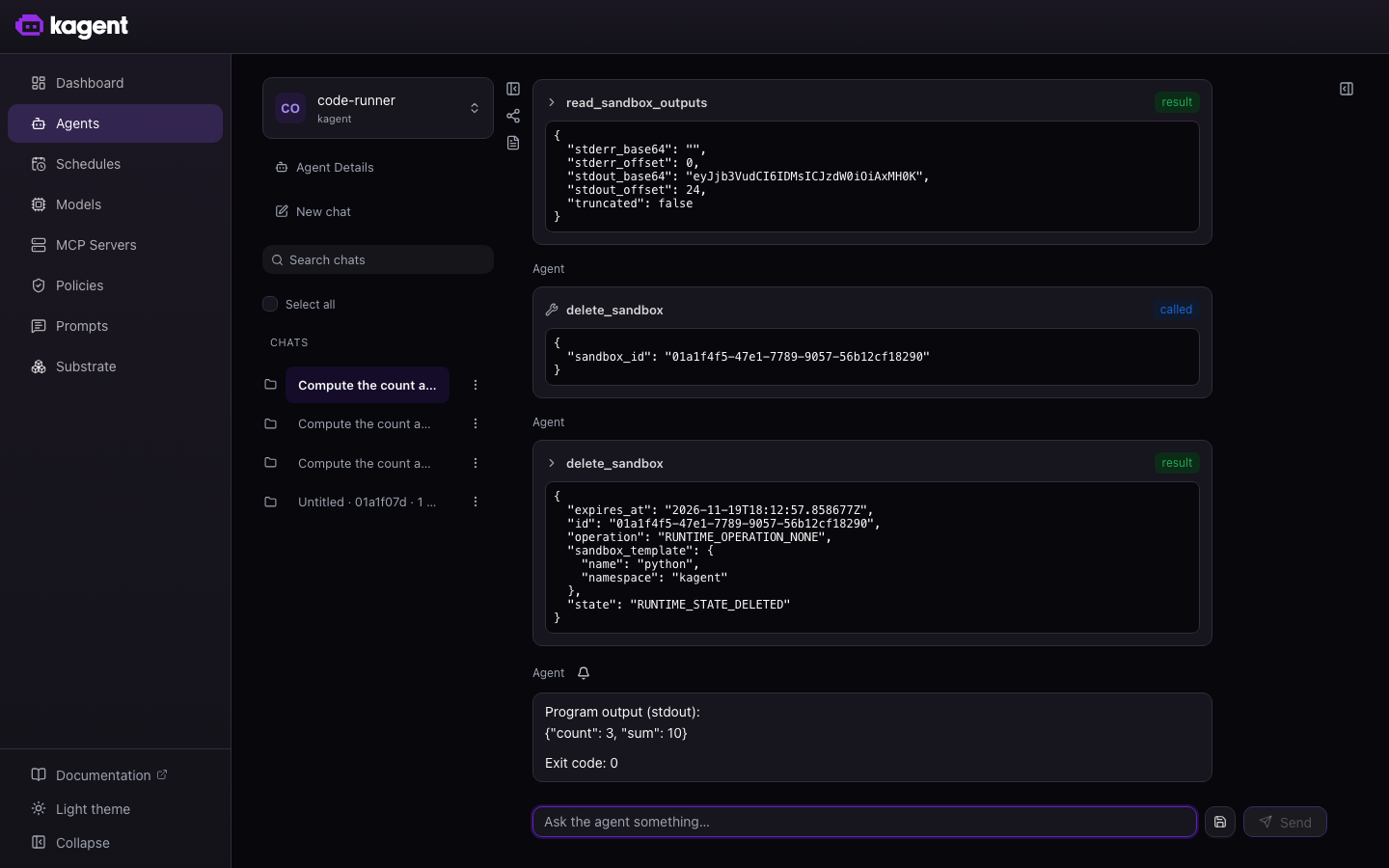
code-runneragent’s Session. The conversation view shows each tool call and its result. Check that the program exited successfully and that the agent deleted its Sandbox.A model can supply an invalid tool argument and then recover. In the captured Session,
write_sandbox_filerejected the model’s invalid base64. The agent recovered by passing the Python code directly tostart_sandbox_processwith["python3", "-c", "..."]. It then read the output and deleted the Sandbox. This run did not createmain.py. Tool calls and recovery steps can vary between runs.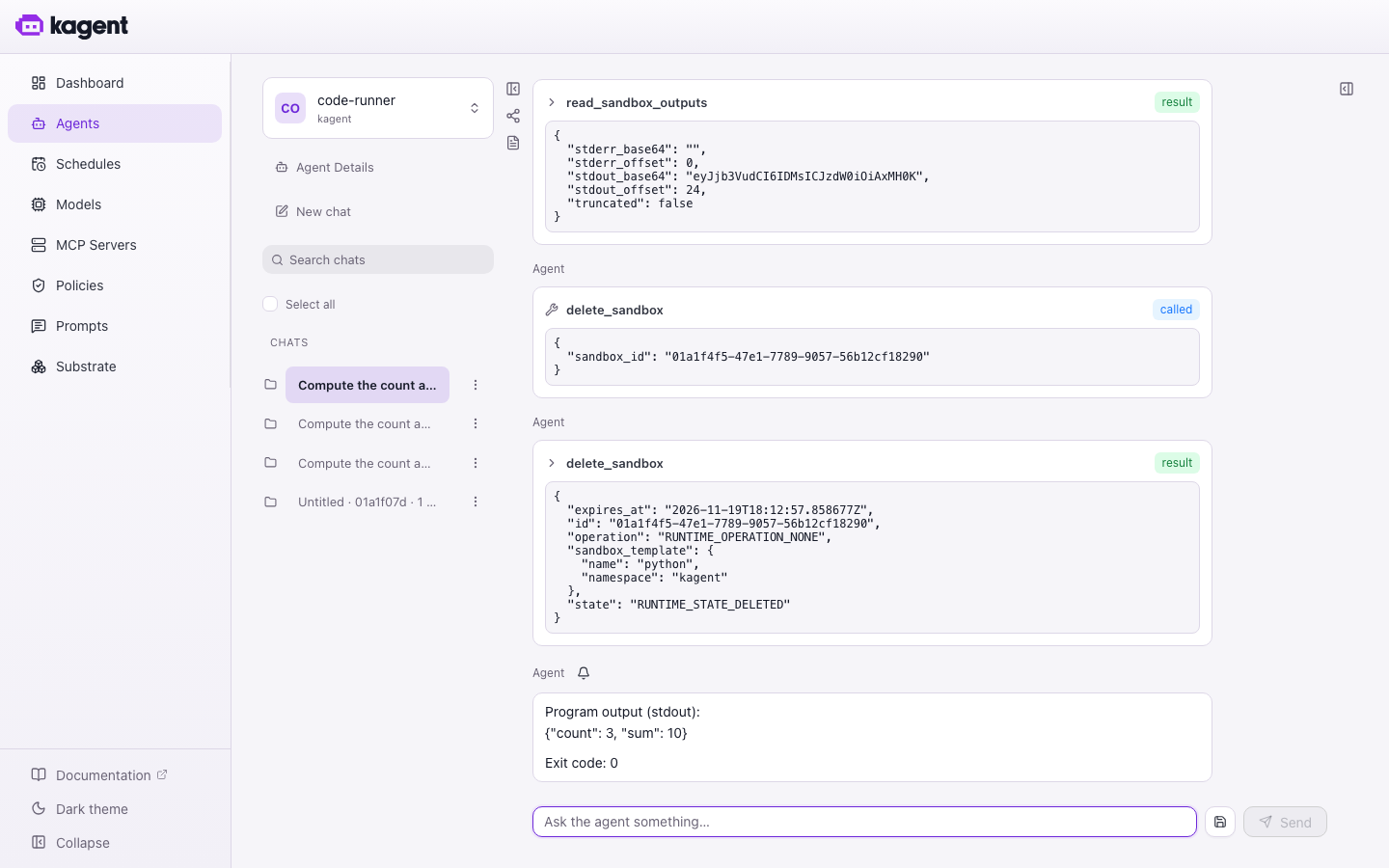
Confirm that the agent deleted its Sandbox.
kagent sandbox listThe list shows only the Sandboxes that your identity owns. In an installation without authentication, the agent and the CLI share the same default identity, so an empty list confirms the cleanup. With authentication on, the agent’s Sandboxes belong to the identity of its MCP connection, as described in Who owns an agent’s Sandboxes.
Who owns an agent’s Sandboxes
An agent owns the Sandboxes that it creates under the identity that its MCP connection authenticated, not under the identity of the person that the agent is talking to. A SessionSessionA running conversation with one Agent. Unlike the resources it is built from, a Session is not a Kubernetes resource: kagent's gRPC API creates it and its PostgreSQL database tracks it.Learn more share token does not grant access to a Sandbox. Use the identity of the MCP connection to list or delete those Sandboxes.
To have the agent create Sandboxes as the person who invoked it, turn on token propagation, as described in the next section. To create Sandboxes under your own identity without an agent, connect an authenticated client as described in Use sandboxes from an MCP client.
Create Sandboxes as the invoking user
The config.runtimeDefaults.tokenPropagation.enabled Helm value turns on token propagation. The kagent runtime then forwards the caller’s identity and credentials to the MCP servers that the agent calls, so each person sees only the Sandboxes that the agent created for them. You do not need to set tokenPassthrough on the kagent-api RemoteMCPServer.
Token propagation applies to every MCP server that an agent on kagent’s native runtime calls, not only to kagent-api. Turn it on only if you trust those servers with your users’ credentials.
Save the runtime setting in a Helm values file.
cat > token-propagation-values.yaml <<'EOF'
config:
  runtimeDefaults:
    tokenPropagation:
      enabled: true
EOF
Read the installed chart version and apply the file to the existing release, preserving its other values.
export KAGENT_CHART_VERSION=$(helm list -n kagent -o json \
  | jq -er '.[] | select(.name == "kagent") | .chart | ltrimstr("kagent-")')
helm upgrade kagent \
  oci://ghcr.io/kagent-dev/kagent/helm/kagent \
  --namespace kagent --version "$KAGENT_CHART_VERSION" \
  --reuse-values -f token-propagation-values.yaml --wait
Clean up
kubectl delete agent code-runner -n kagent
kubectl delete agenttemplate code-runner -n kagent